Turn quiet moments into fresh demand
Publish timely deals that nearby customers can discover in map, list, and reels-style views.
RealDeal Business
Fill quieter moments, promote available inventory, and reach nearby customers while they are actively looking for something to claim today.
Why businesses use it
RealDeal is built for local buying intent: fresh offers, clear availability, real inventory, and quick redemption when a customer is already nearby.
Publish timely deals that nearby customers can discover in map, list, and reels-style views.
Create smart offers for extra portions, end-of-day stock, open tables, appointment slots, or seasonal inventory.
Add photos or reel content so customers see what is available now and why it is worth visiting.
Create templates, manage active deals, handle redemptions, and track payout totals from the business side of the app.
What it looks like
Use real app views and product visuals so businesses can immediately understand what they control and what customers see.
Build
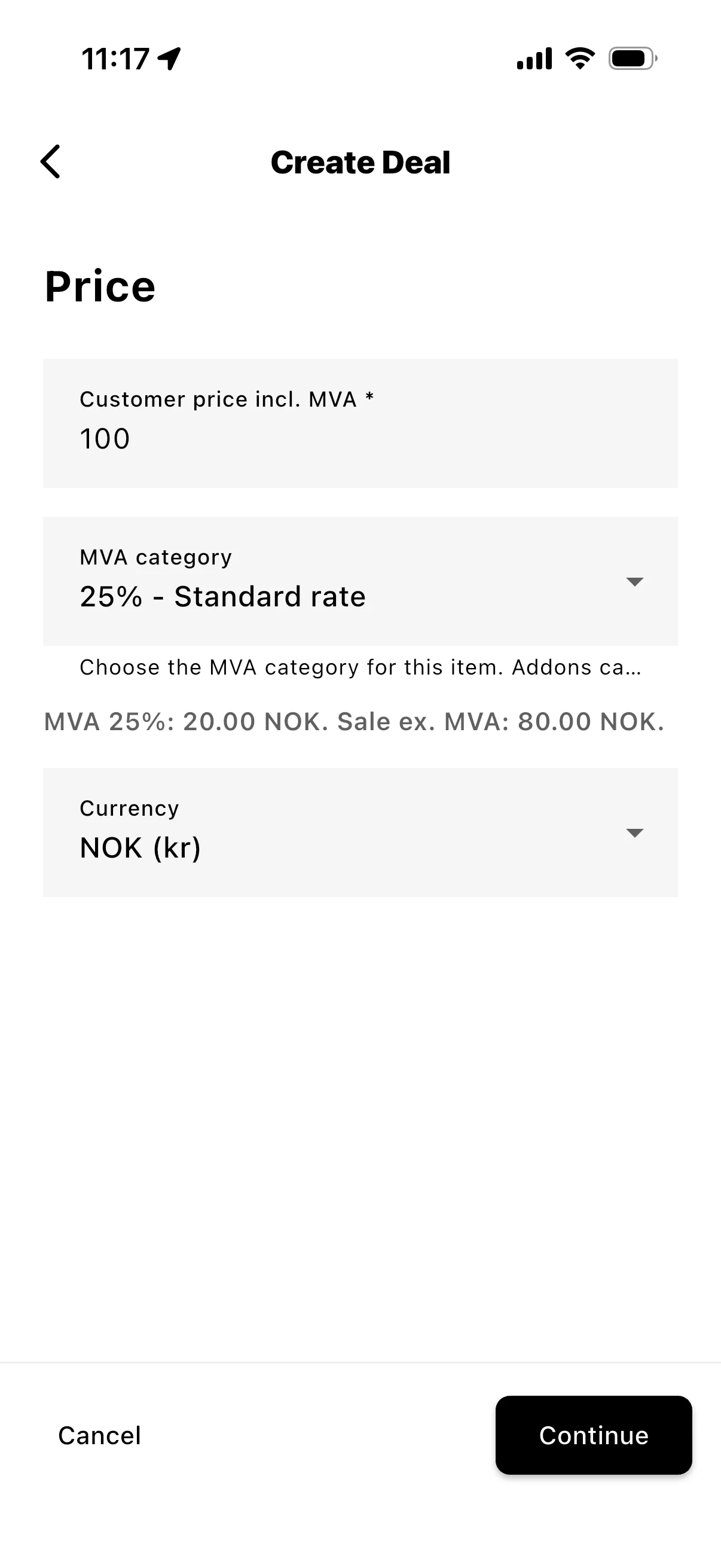
Customer price incl. MVA, MVA category, expiry time, quantity, and optional add-ons.
Track
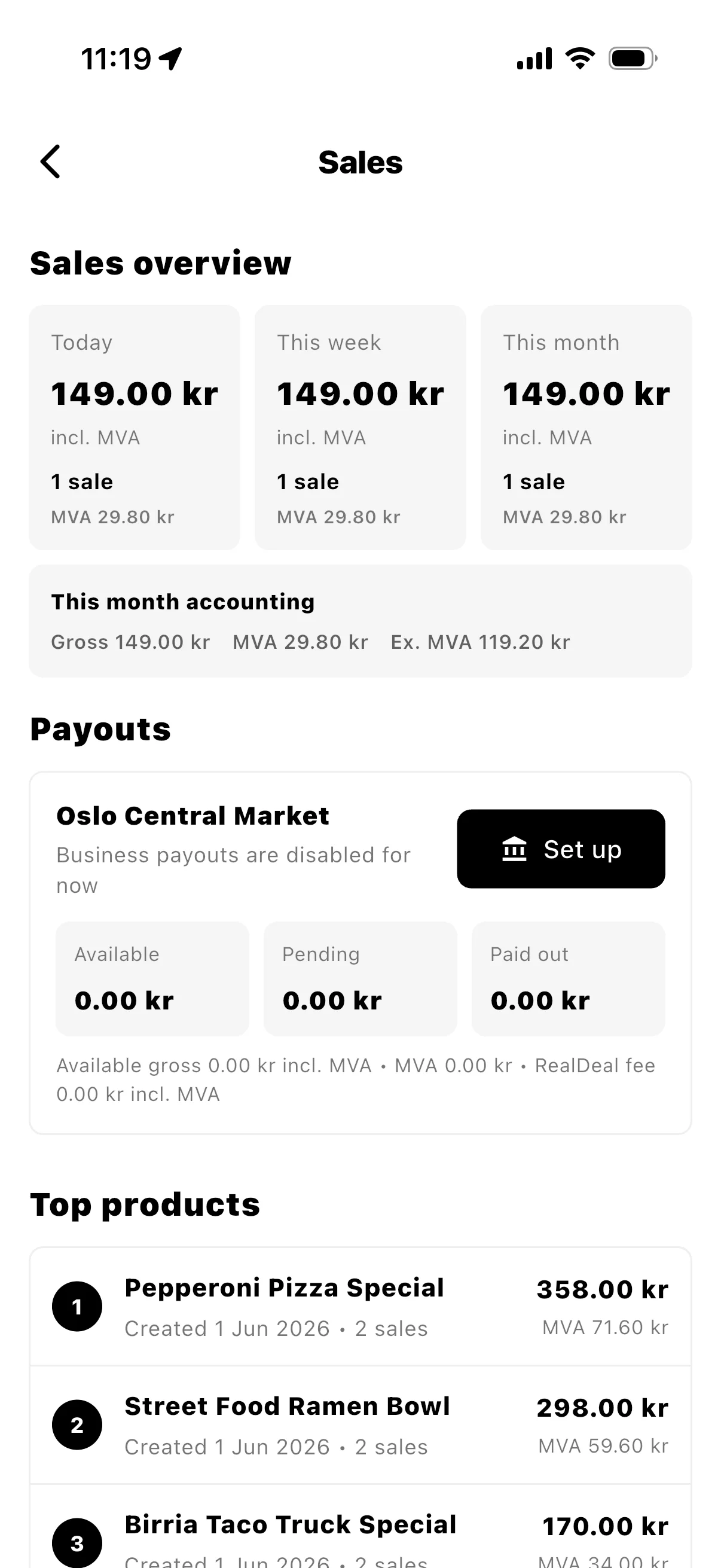
Available, pending, and paid-out totals with payout actions and downloadable statements for the back office.
Show
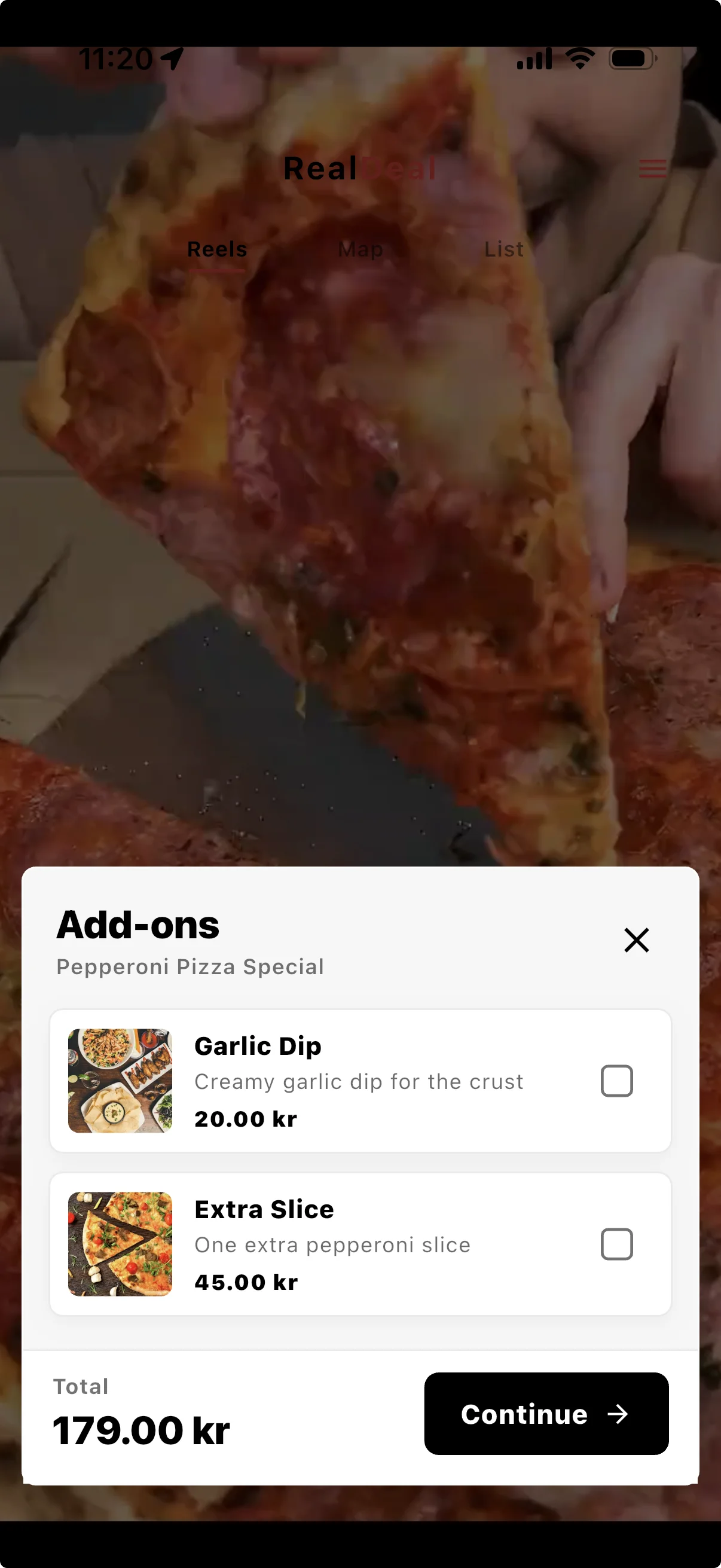
Product video or photo, price, distance, and a clear purchase action for customers nearby.
Team roles
RealDeal roles keep the business account practical: owners control settings and payouts, managers keep deals moving, and counter staff can redeem purchases fast.
Owner
Best for founders, operators, or finance leads who need full control.
Access
Manager
Best for trusted team members who run the daily deal workflow.
Access
Store Manager
Best for location or shift leads who keep live deals moving during service.
Access
Store Keeper
Best for front-counter staff who handle pickup and redemption.
Access
How to use them
The owner opens the business profile, adds team members, and chooses the right role for each person.
Managers and store managers keep live deals fresh while service is running.
Store keepers redeem customer purchases quickly at pickup.
Owners keep control of business details, team access, payout setup, and payout requests.
How it works
Publish what is available now, let customers buy nearby, redeem in store, then request payout when redeemed funds are ready.
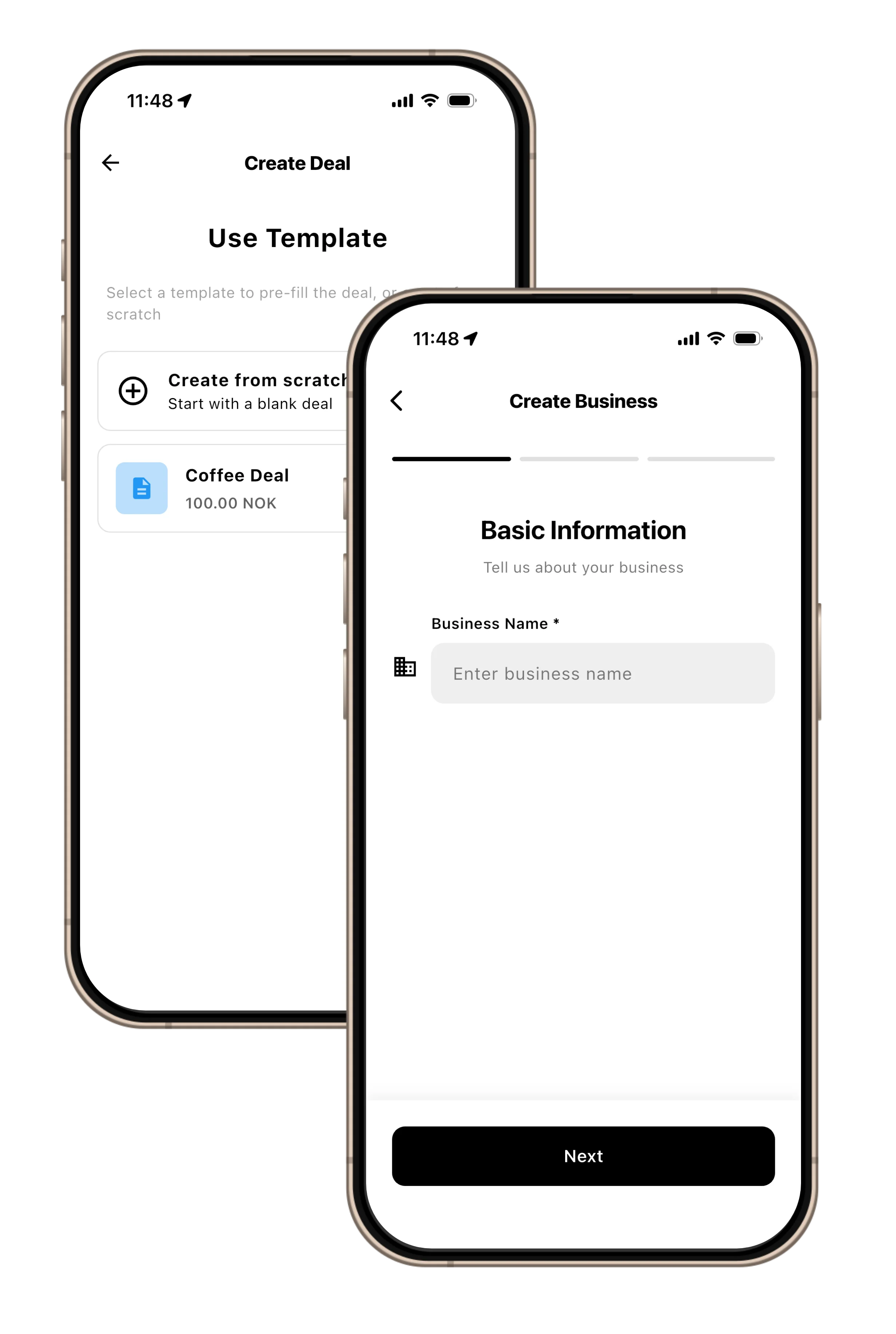
Add the business profile, location, contact details, logo, and team access so deals appear in the right local area.
Choose the item, price, quantity, expiry time, MVA category, optional add-ons, and a photo or reel that shows customers what is available.
Customers find the deal by location, browse it on the map or list, and can see richer reel-style content when the deal has video.
When the customer arrives, the purchase is redeemed by the business and reflected in clear sales and payout reporting.
After Stripe Connect setup, redeemed sales become available for payout in the app, with payout requests following a clear 7-day cadence.
Payouts and tax
RealDeal keeps customer prices, MVA, fees, and payout totals readable from the moment a deal is created through the final payout statement.
Customer sales
The customer-facing total stays easy to match to the sale.
Seller MVA
MVA is broken out so reporting is easier to review.
RealDeal fee
Service fees are listed clearly on payout statements.
Net payout
The business sees the final amount moving to payout.
The deal wizard keeps customer-facing prices inclusive of MVA where applicable, then calculates the ex. MVA sale amount and MVA amount.
Norway is the active tax profile today: 25% standard, 15% food, 12% reduced, plus zero-rated and exempt categories.
Before publishing, the business confirms it is the seller of record for the deal. RealDeal supports the payment and reporting flow.
Payout statements show customer sales incl. MVA, sales ex. MVA, seller MVA, RealDeal service fee incl. and ex. MVA, and net payout.
Set up Stripe Connect once for the business.
Redeemed sales move into the payout flow.
Request payout from the app when funds are ready.
Payout requests follow a clear 7-day cadence.
Businesses can share payout statements with their accountant for filing guidance.
Start with one live deal
Tell us what kind of business you run and we will help shape the first deals, visuals, and payout setup around your day-to-day workflow.